# Park Orbits
A park orbit is like a parking lot. It provides a holding place where calls can be parked while the callee is being located. Once a call has been parked on a park orbit, it can be retrieved by other users, which is very different than if the call had been placed on hold. (A call on hold requires the person who originally answered the call to track someone down and transfer the call to the right person.) With a park orbit, the person answering the phone can put the call out there for anyone to pick up. Once an account has been created, users can park the call on the orbit by executing the Call Park star code (*85 by default), followed by the account number of the park orbit.

Other users can retrieve the call by executing the Call Park Retrieve star code (*86 by default.)

A Park Orbit button can also be configured so that users can just click the button to park and retrieve the call.
# Creating Park Orbit
Go to your selected tenant in the Link web interface.
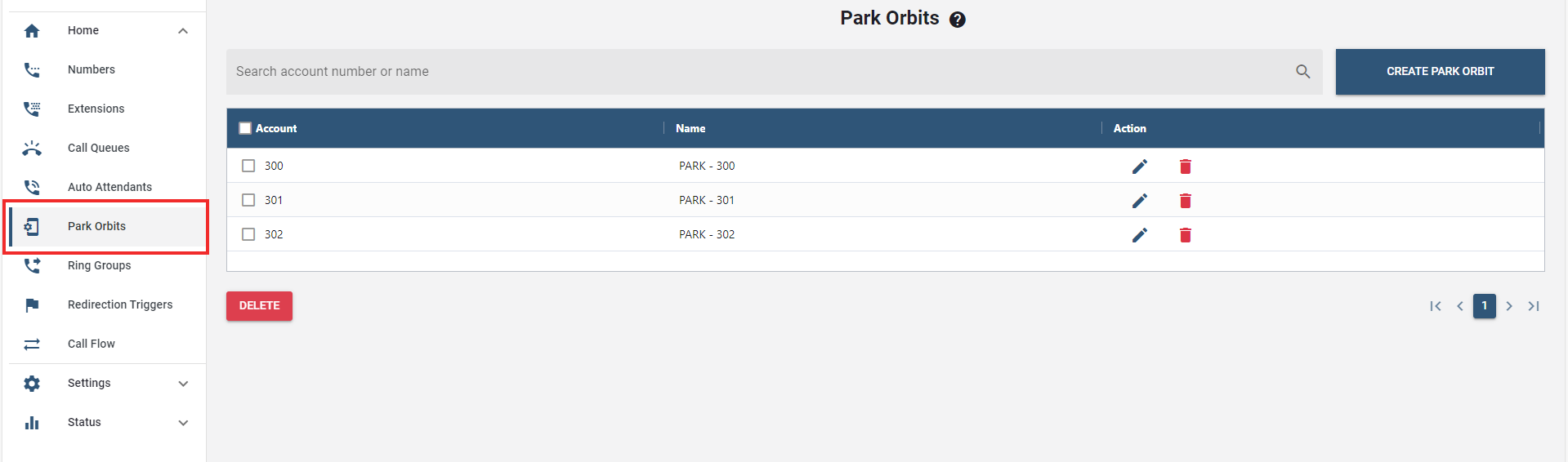
On the sidebar menu, select the "Park Orbit" tab.
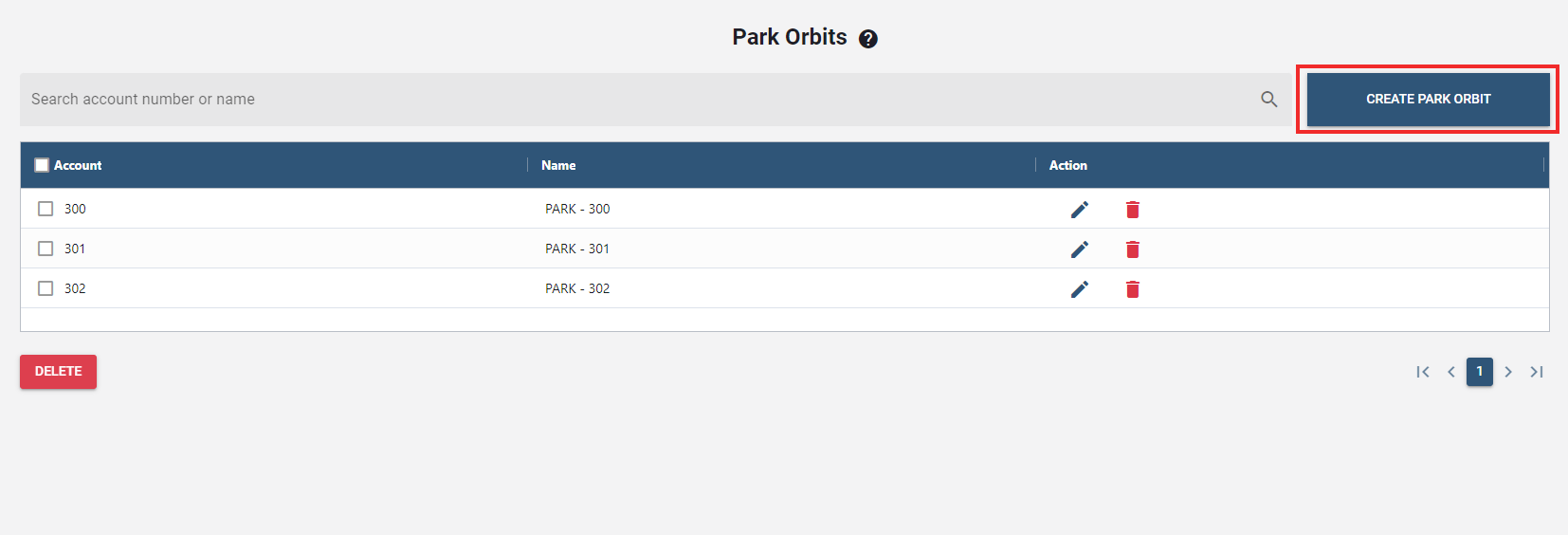
Click on the button.
Once clicked, a new window will pop up to enter the details.
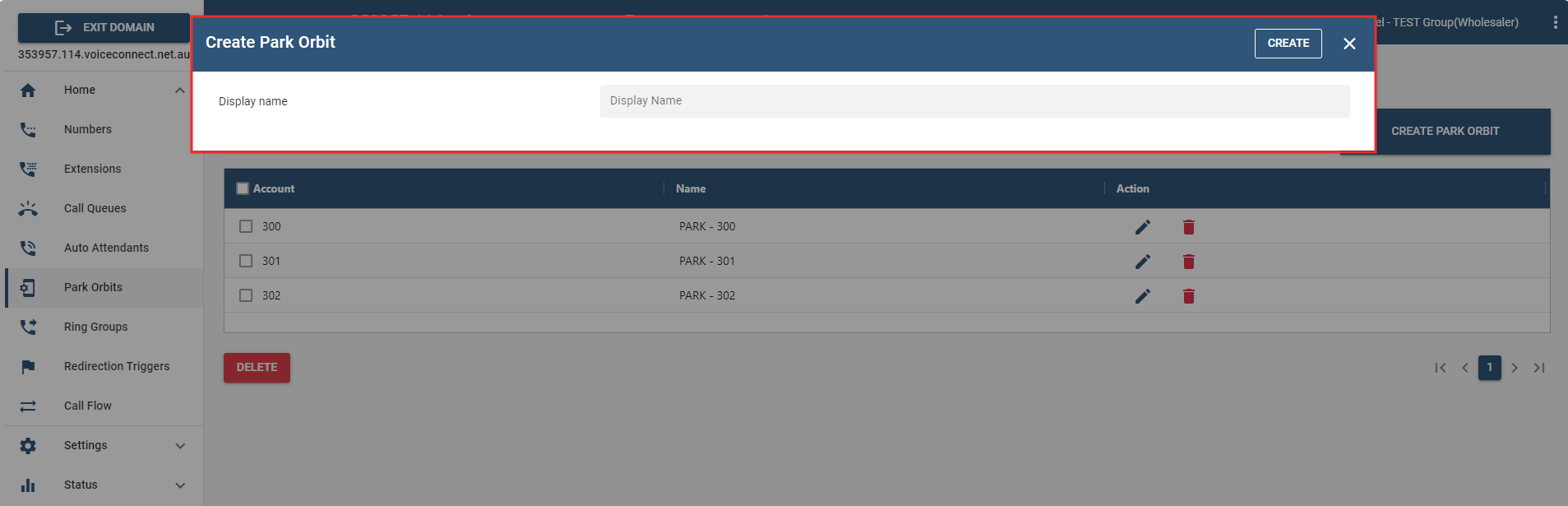
- In the Display Name field, enter an account number and/or alias.
After the field has been populated, click .
The newly created Park Orbit(s) will be set out in the Park Orbit list.
# Configuring a Park Orbit
Once a Park Orbit account has been created, use the following steps below to configure settings.
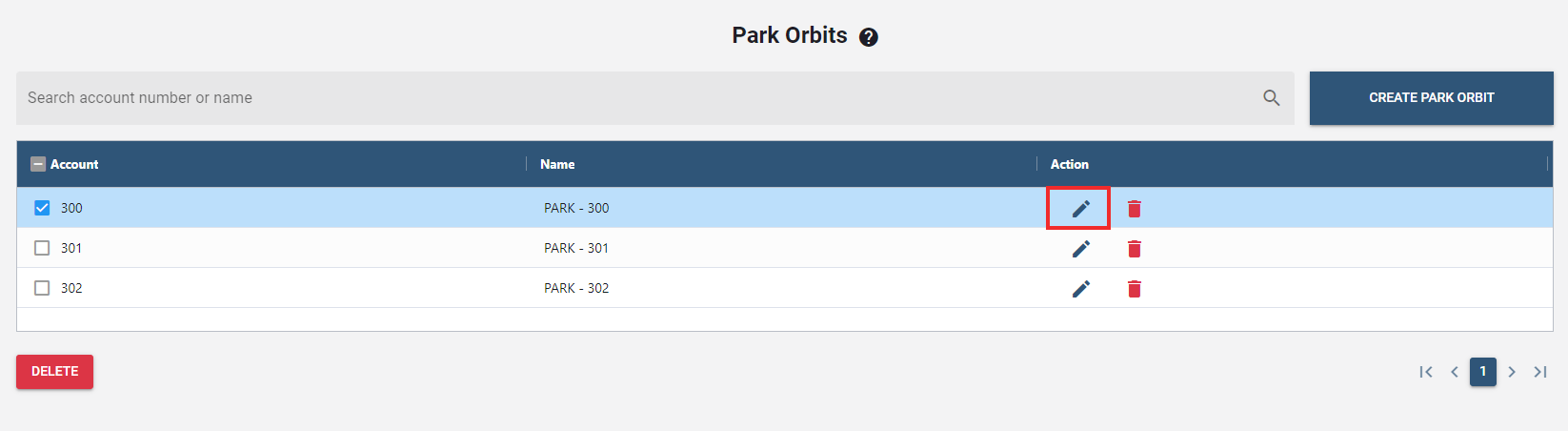
- Select an account from the park orbit list.
- Click the "edit icon" under the Action column.
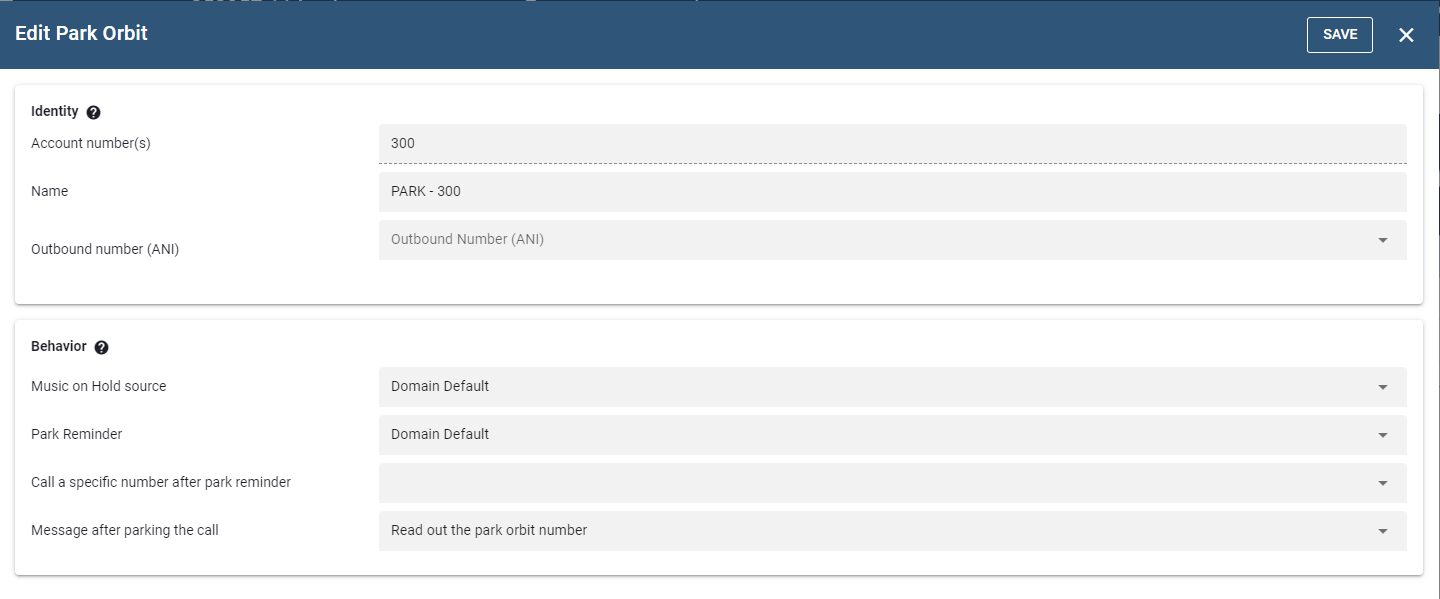
- Following that, a new window will pop up to configure the details.
# Explanation and Use of the Settings
- Account number : This field is automatically populated with the account information that has been entered into the Account Name field when the account was created.
- ANI : ANI (Automatic Number Identification) is a service that tells the recipient of a telephone call which telephone number made the call.
- Name : The purpose of this field is to provide a name for the Account so that it will be easy to distinguish from other Accounts.
- Music on Hold source : From the dropdown, choose a music on hold source.
- Park reminder : Once a call has been parked and the required time has lapsed, the system will call back the extension that parked the call. This will serve as a reminder to the user that the caller is still waiting and that no one has picked up the call.
- Call a specific number after park reminder : If set, this feature calls a specific number after the park reminder, like a ring group or call queue etc.
- Message after parking the call : This setting allows the user to choose what to play after the call has been parked.
NOTE: Once any changes are made, click the button to confirm and process the updates.